/ Business integration
Designing transactional WhatsApp notifications with an API
Principles for traceable, retry-safe messaging that does not block the core transaction flow.
Separate transactional notifications from broadcasts
Transactional WhatsApp notifications are different from promotional broadcasts. They are triggered by an event: an order is created, a payment needs review, a shipment is sent, or an account needs action. Because they are tied to business processes, the system should explain why a message was created, who received it, and what happens when the gateway is unavailable.
Start with an event contract
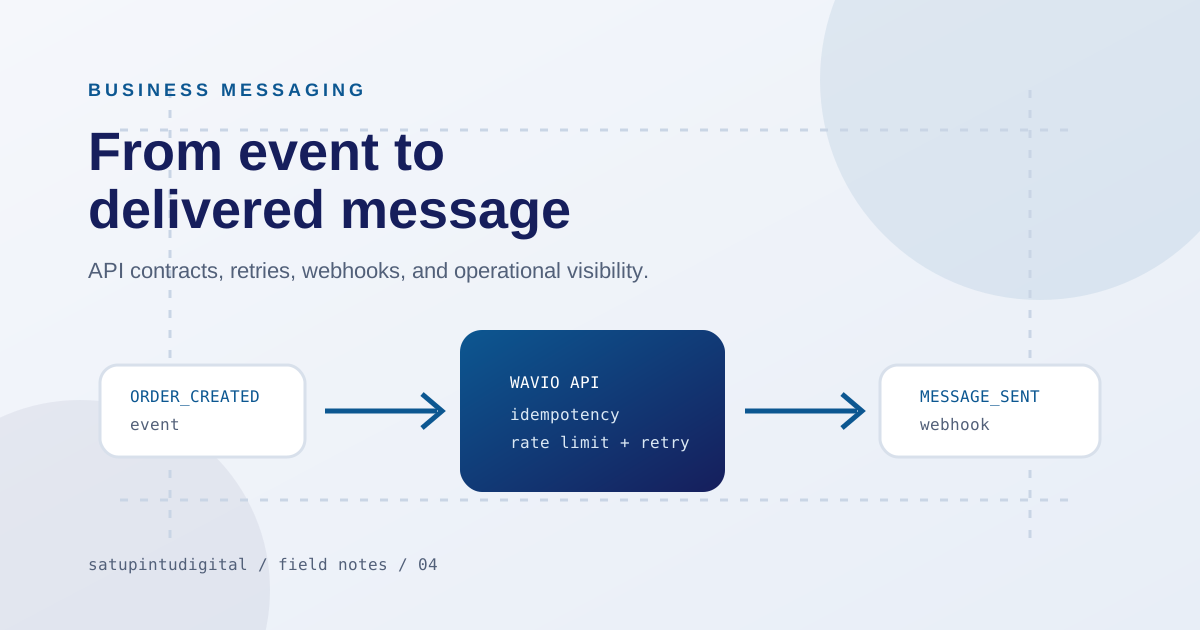
Define the event name, minimum data, message template, recipient, and validation rule. Do not send messages from many places with different formats. A gateway such as Wavio can form an integration boundary so commerce, CRM, and internal systems follow one consistent contract.
Separate dynamic data from the template. Validate length, characters, order numbers, links, and language. Every template needs an owner and a change rule because a small placeholder change can alter the meaning. In a multi-tenant integration, each tenant needs isolated configuration.
Use idempotency for safe retries
A network can fail after the provider accepts a request but before the application receives the response. Without an idempotency key, a retry may create a duplicate message. Use a stable identifier for one delivery intent, store its status, and distinguish a retry from a new send.
Model states such as queued, sent, acknowledged, failed, and expired according to provider capability. Store a correlation ID connecting the business event, API request, webhook, and message. This speeds up troubleshooting without guessing from unrelated timestamps.
Webhooks should be verified and fast
Inbound events, device status, ACKs, message changes, and delivery failures should have their signatures verified. A webhook handler should acknowledge quickly, then send heavier work to a queue or worker. Keep enough raw context for troubleshooting without retaining unnecessary sensitive data.
Test timeouts, disconnected QR devices, invalid numbers, duplicate webhooks, oversized media, and slow providers. Measure the time from business event to received message, not only endpoint response time.
Use queues, rate limits, and backoff
When many orders arrive together, unlimited parallel sends can make the queue worse. Use a queue, concurrency limit, delayed retries, and a dead-letter path. The operations dashboard should show pending and failed messages, not only successful ones.
Prepare reconciliation between the source system and the gateway. Compare business events, created requests, webhook states, and failed messages. Differences caused by retries or cancelled events should be explainable.
Build consent and security into the design
Make sure recipients have a valid basis for receiving communication, provide an opt-out path where relevant, and separate service notifications from promotions. Never put API keys in the frontend or logs. Tenant isolation, audit trails, access boundaries, and template privacy are design requirements, not post-launch work.
Roll out gradually with a kill switch
Start with one low-risk event, test with internal numbers, watch delivery and errors, then expand. Provide a kill switch that disables notifications without disabling checkout or the core service. Fail-safe means the transaction continues when the communication channel has a problem.
A good messaging integration is not about sending as many messages as possible. It is about the right message at the right event, with traceable status and controls the operations team can use.
Need help applying these priorities to your business?
Keep reading